Features
Crop scouting
In all subscriptions
This feature allows you to easily and accurately geolocate and record the activities carried out during field inspections.
You can also find it within the Agricolus app: precision in the field—download it now!


For each scouting, you can specify multiple observations, each with a different location, as long as they are all within the same field.
You can record:
- Pests and diseases
- Anomalies
- Phenology
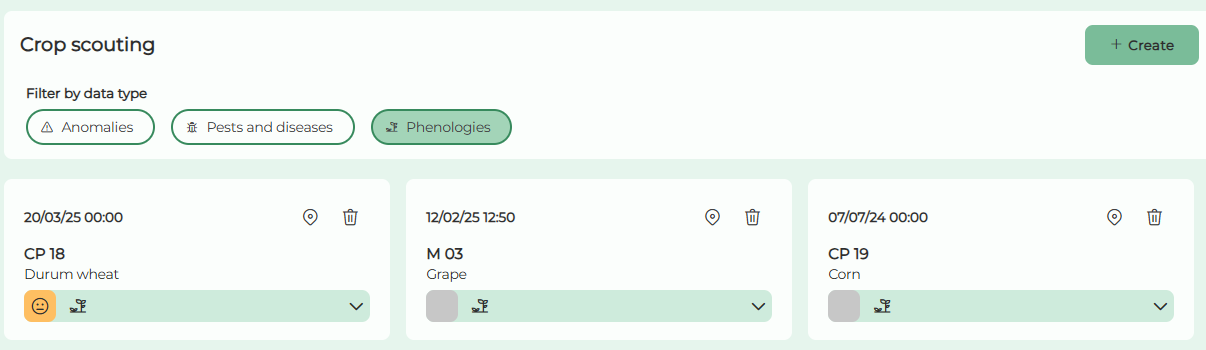
By accessing the “Crop scouting” menu item, a screen opens showing the list of created scouting, each represented by an interactive card that includes:
- Field name
- Scouting date
- Crop
- Summary assessment of the field condition
- “New” tag for scouting created in the last 24 hours
- Button to locate the scouting
- Button to delete the scouting
- An expandable section that, when collapsed, displays icons indicating the presence or absence of Pests and Diseases, Phenology, and Anomalies

You can filter scoutings by applying:
- Global filters: field, crop, production unit, time range
- Specific filters based on the presence or absence of: Pests and Diseases, Anomalies, Phenology
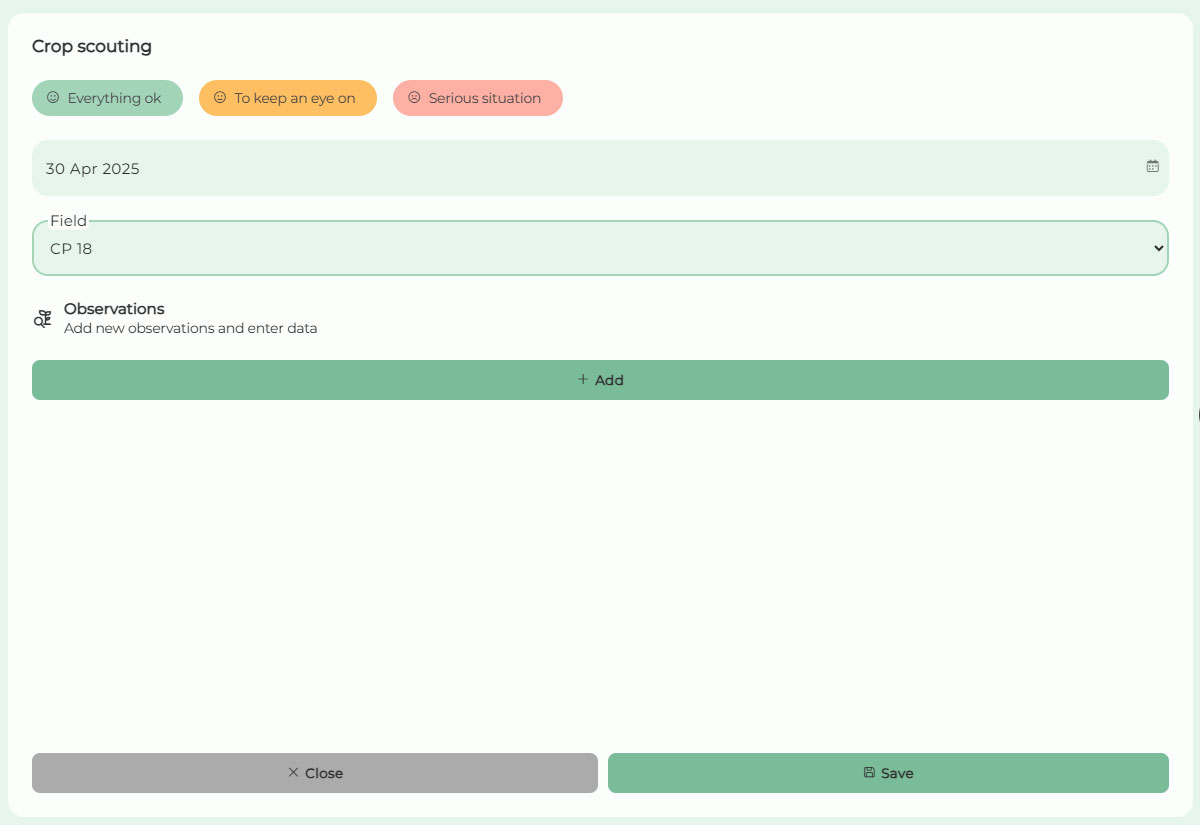
By clicking the “Create” button, you can access the form to create a new scouting. For each scouting, you can enter:
- Scouting date
- Field
- Summary assessment of the field condition (optional)
- One or more observations
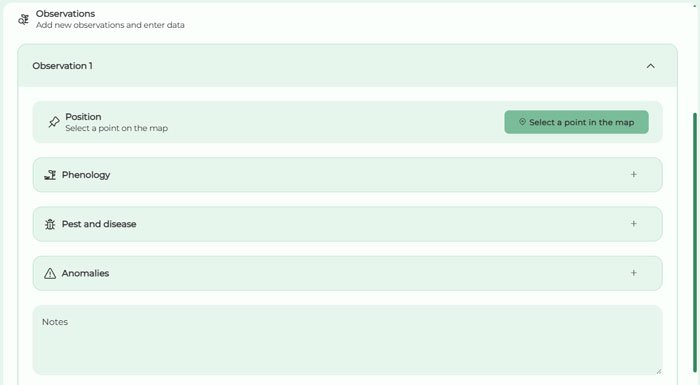
For each observation, you can specify:
- Location (required for each observation): using the button to select a point on the map
- Phenology
- Pests and Diseases
- Anomalies
- Notes